Claude Monitor
A monitoring and visualization tool for Claude Code sessions. Track token usage, costs, tool calls, and session activity through a real-time web dashboard.
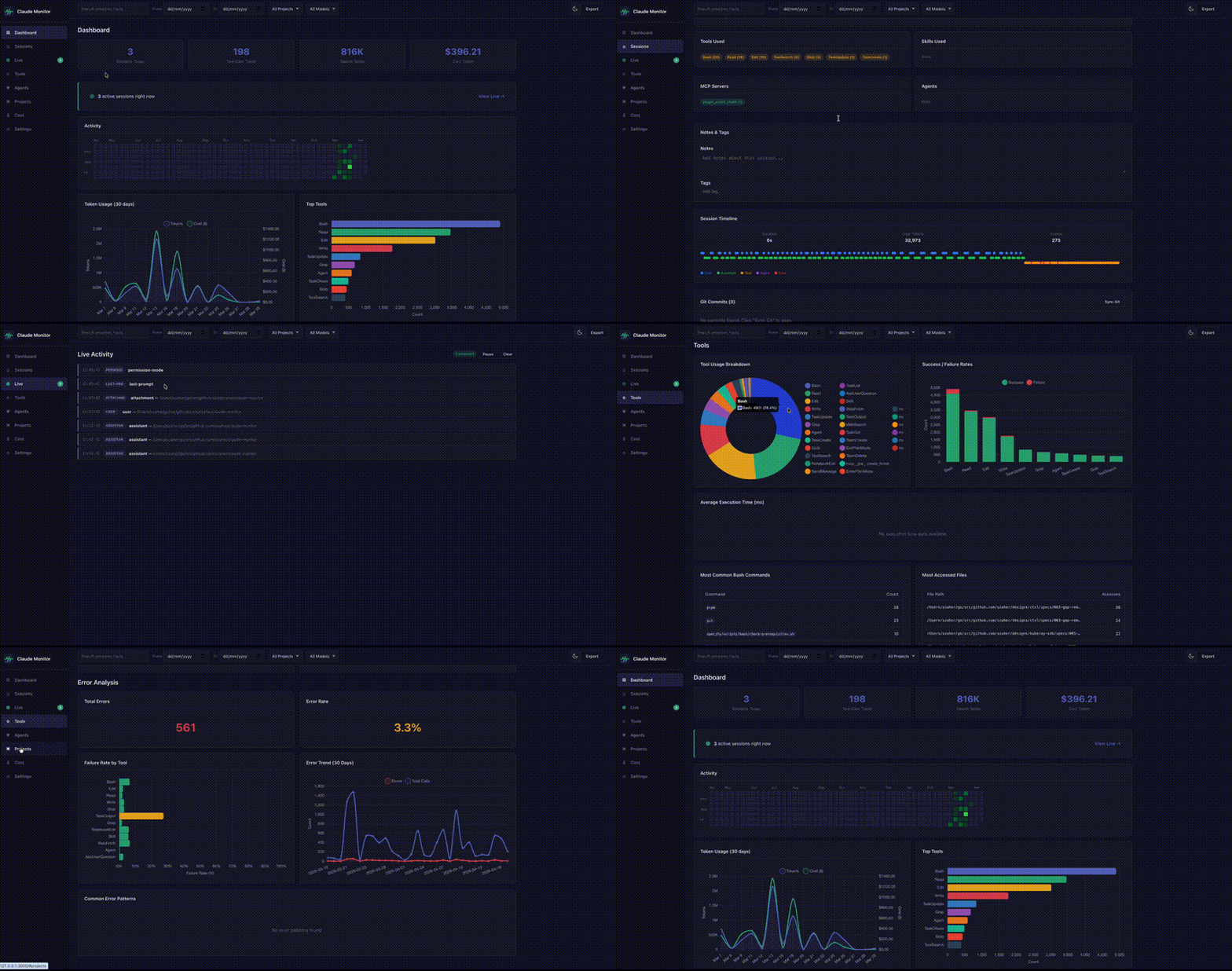
Claude Monitor installs as a Claude Code hook, capturing every session, message, and tool call into a local SQLite database. A built-in web UI provides dashboards, analytics, and live activity monitoring.
Features
- Real-time monitoring – Live WebSocket-powered view of active Claude Code sessions
- Session tracking – Automatic capture via Claude Code hooks
- Historical import – Bulk import existing session logs
- Cost tracking – Per-session cost estimation with configurable model pricing
- Token analytics – Input, output, cache read/write breakdowns with efficiency metrics
- Tool usage stats – Track tool frequency, success rates, and error patterns
- Error analysis – Error trends, failure rates by tool, common error patterns
- Prompt patterns – Classify prompts into categories (bug fix, feature, refactor, etc.)
- File heatmap – See which files are most read, written, and edited per project
- Session timeline – Visual timeline of messages, tool calls, and agent spawns
- Git integration – Link commits to sessions, sync via CLI or UI
- Cost budgets – Set daily/weekly/monthly budgets with alerts
- Session notes & tags – Annotate sessions for future reference
- Project breakdown – Per-project session and cost summaries
- Full-text search – Search across all message content (SQLite FTS5)
- Export – Download sessions as JSON, CSV, or HTML reports
- Subagent tracking – Monitor spawned agents, types, and durations
Quick Start
# Build from source
make build

# Install hooks and initialize the database
claude-monitor install

# Import existing Claude Code session logs
claude-monitor import

# Start the web UI
claude-monitor serve

# Visit http://localhost:3000
Or download a pre-built binary from GitHub Releases.
Documentation
- Installation – Build, install, and configure
- Commands – CLI reference for all commands
- Dashboard & UI – Overview of the web UI pages
- API Reference – REST API and WebSocket documentation
- Configuration – Config file reference
- Architecture – How it works under the hood